 Автор player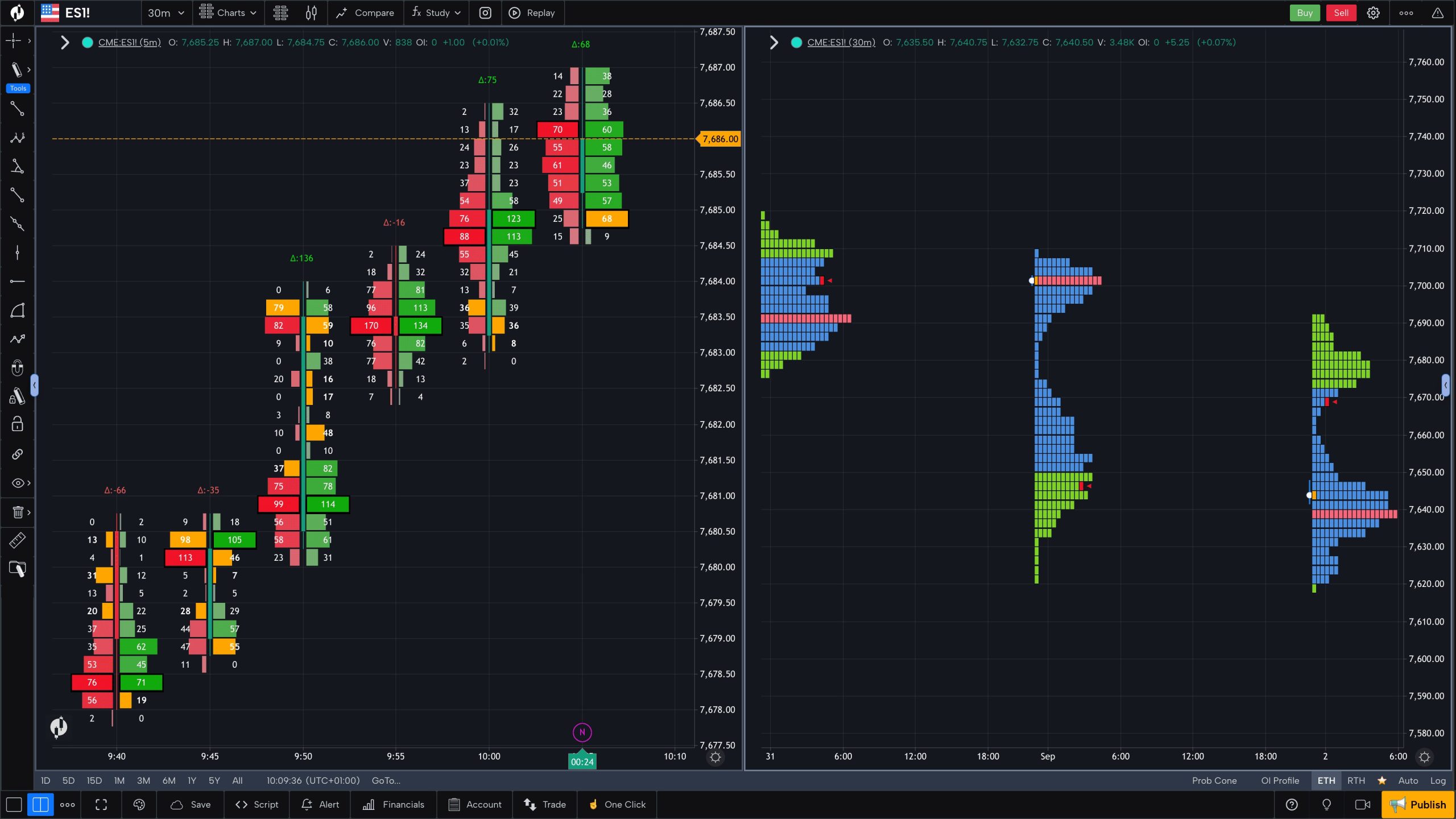
A trading platform can shape how a prop trader analyzes price action, enters positions, manages risk and reviews performance. Some traders want familiar charts and a large library of custom indicators. Others need automated strategies, detailed order-flow analysis or a browser-based workspace that can be opened on different devices.
Choosing a proprietary trading firm therefore involves more than comparing challenge fees and profit targets. Traders should also establish which platform is available for their chosen account, what tools it supports, whether extra charges apply and how easily it fits their existing workflow.
This comparison examines seven prop firms with different platform arrangements, from traditional CFD terminals to specialist futures software. The rankings are editorial assessments of platform choice, usability and tool flexibility, not guarantees of trading results. Leofins is ranked fourth, with particular attention to its range of supported platforms.
What Makes a Prop Trading Platform Worth Using?
A platform is the working environment in which a trader implements a strategy. Its interface matters, but so do its technical capabilities and the way it connects to the firm’s account infrastructure.
The most useful comparison criteria are:
- Charting and analysis: Timeframes, indicators, drawing tools, alerts, multi-chart layouts and historical data.
- Order management: Market and pending orders, stop-loss and take-profit controls, one-click execution and depth of market where available.
- Automation: Expert Advisors (EAs), trading bots, scripting tools and backtesting.
- Market access: Whether the account supports forex, CFDs, indices, metals, cryptocurrencies, stocks or exchange-traded futures.
- Device compatibility: Desktop applications, browser terminals and mobile access.
- Costs and restrictions: Platform licences, market-data fees, account compatibility and rules governing automation or third-party tools.
An important distinction is that a platform’s technical capability does not automatically mean every feature is enabled on a particular prop account. The firm’s own integration, regional restrictions and trading rules take precedence.
Seven Prop Firms Compared by Platform Experience
The table focuses on the practical experience a trader can expect, rather than repeating a generic list of challenge rules.
| Rank | Prop firm | Main platform options | Best fit | Notable strength | Limitation to check |
|---|---|---|---|---|---|
| 1 | FTMO | MT4, MT5, cTrader, TradingView | CFD traders who value choice | Familiar terminals plus chart-focused TradingView access | Availability and modification rules depend on account conditions |
| 2 | The5ers | MT5, cTrader, TradingView, subject to region | CFD traders with established workflows | Choice between conventional terminals and TradingView | cTrader fee and platform selection restrictions |
| 3 | FundedNext | MT4, MT5, cTrader, Match-Trader, subject to region and program | Traders who want several interface styles | Traditional terminals and modern web-first options | Switching restrictions and potential platform fees |
| 4 | Leofins | MT4, MT5, cTrader, TradingView, DXtrade, Match-Trader | Traders who want broad platform flexibility | Six supported platforms with platform switching available under its published policy | Confirm the selected program, platform rules and any account-specific limitations |
| 5 | FundingPips | MT5, cTrader, Match-Trader | CFD traders choosing between established and browser-friendly interfaces | Three supported platform options | Availability and access vary by platform and region |
| 6 | MyFundedFutures | NinjaTrader, Tradovate, TradingView, Quantower, Volumetrica and others | Futures traders, including those interested in order flow | Broad choice of specialist futures tools | Data access, integrations and additional costs vary |
| 7 | Earn2Trade | NinjaTrader, Tradovate, TradingView, Quantower, DeepCharts and others | Futures traders who want to choose their own analysis workflow | Wide range of supported futures platforms | Some platforms require a separate licence or have specific access conditions |
Platform lists and availability can change. Confirm the current options during checkout, particularly if you rely on a specific terminal, automated strategy or regional configuration.
1. FTMO: A Versatile Setup for CFD Traders
FTMO provides four platform choices on its published trading-platform page: MetaTrader 4, MetaTrader 5, cTrader and TradingView. This gives traders several ways to approach analysis and execution without assuming that everyone prefers the same interface.
MetaTrader 4 remains relevant for traders who rely on established indicators and Expert Advisors built for its environment. MetaTrader 5 offers a broader technical toolkit, including additional pending-order types, depth-of-market features and a multithreaded strategy tester. Traders who build or test systematic strategies may find those features useful.
cTrader takes a different approach, combining charting, order management and an automation environment. Its Automate tools support custom indicators and trading robots using C# and Python workflows. TradingView, meanwhile, appeals to traders who prioritize chart layouts, alerts and the Pine Script ecosystem. Execution availability depends on the specific FTMO integration rather than on TradingView’s general capabilities alone.
User experience: FTMO is a strong choice for traders who want to select a familiar platform and maintain a structured analysis routine. It is particularly useful for people who already know whether they prefer MT4’s established ecosystem, MT5’s expanded tools or cTrader’s interface.
What to verify: Check which platforms can be selected for the exact challenge, whether account changes are permitted after trading begins, and how account type affects the trading conditions. Platform availability does not mean every account has identical rules.
FTMO takes the first position because its range covers several major CFD trading workflows, including discretionary charting and algorithmic trading.
2. The5ers: Platform Choice with Regional Differences
The5ers supports MetaTrader 5, cTrader and TradingView for its CFD offering, subject to regional availability. Its published platform guidance, updated in August 2026, states that non-US clients can use all three, while US-based clients can use TradingView.
This regional distinction is worth checking before purchasing a challenge. A platform listed on a firm’s general information page may not be available to every customer or account type.
MT5 is a practical choice for traders who want indicators, multi-timeframe analysis and automated strategies. cTrader provides another environment for charting and execution, while TradingView is suited to traders who prefer browser-based analysis and a familiar charting workflow.
The5ers also specifies that cTrader carries an additional $10 fee on top of the program price under its published policy. Its platform guidance says that the selection is final once purchased and cannot be switched afterward. These details illustrate why comparing software names alone is insufficient: the choice can have a direct effect on setup cost and flexibility.
User experience: The5ers can suit traders who already know which platform they want and are comfortable committing to it before checkout.
What to verify: Confirm regional access, the applicable platform fee, and whether the chosen account supports the tools you need. If you rely on a particular EA or custom indicator, test its compatibility before making a purchase.
The5ers ranks second because its platform options cover several common CFD workflows, although the finality of selection and regional restrictions reduce flexibility for traders who may want to change their setup later.
3. FundedNext: Several Ways to Access CFD Markets
FundedNext supports MT4, MT5, cTrader and Match-Trader for its CFD programs, with availability varying by region and account configuration. TradingView is supported for analysis, but its trade-execution availability should be checked separately because the firm’s published guidance has described execution functionality as temporarily paused.
The platform mix gives traders a choice between established MetaTrader terminals, cTrader and Match-Trader’s modern interface. MT4 may appeal to traders with existing MQL4 tools, while MT5 provides a newer environment for multi-asset analysis and automated strategies. cTrader offers its own interface and automation environment, whereas Match-Trader provides a web-first alternative.
The main concern is not simply which platform looks best. FundedNext’s published rules state that platform switching is permitted only before the first trade; once a trade has been executed, the platform is locked. The same policy applies to reset accounts. Its guidance also lists a one-time $25 platform fee for cTrader or Match-Trader for global clients, while MT4 and MT5 are free. US-based traders have Match-Trader as the supported option under the current rules.
User experience: FundedNext may suit traders who want to choose between familiar terminals and a modern web-based alternative.
What to verify: Check the current TradingView execution status, regional restrictions, platform fee and switching policy before starting. Traders using automation should also confirm that their chosen platform and program permit the intended tools.
FundedNext ranks third because it offers meaningful variety, although its switching policy makes the initial platform decision particularly important.
4. Leofins: Six Platforms Under One Platform Policy
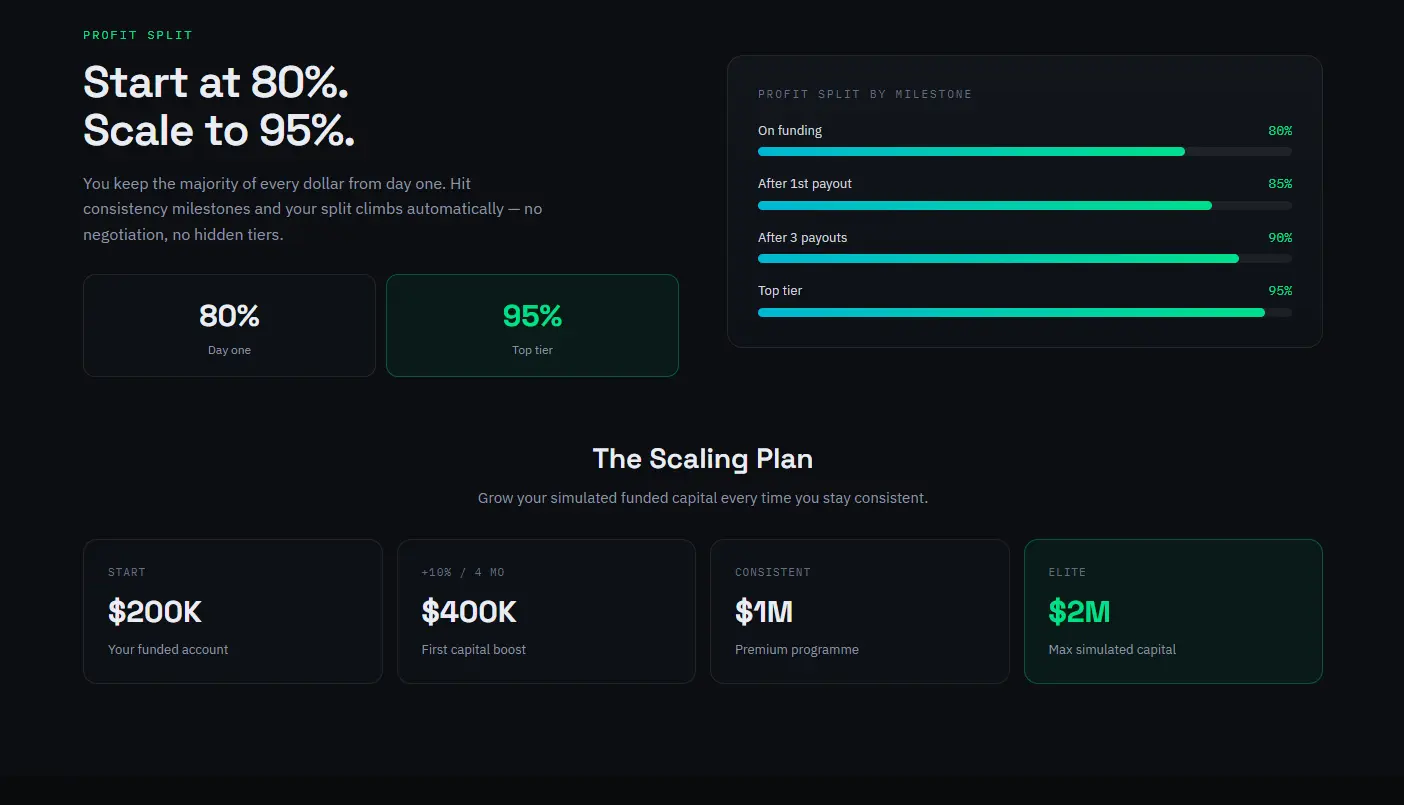 Leofins stands out for the number of platform options it publishes for its CFD accounts. Its platform page lists MetaTrader 5, MetaTrader 4, cTrader, TradingView, DXtrade and Match-Trader. The company states that platform access, live market data and supported connections are included in the one-time challenge fee, with no separate platform licence fee under its published offering.
This breadth is useful because traders can select a working environment that fits their existing habits rather than learning an unfamiliar terminal simply to join a program. MT4 and MT5 cover conventional MetaTrader workflows, while cTrader supports its own automation environment. TradingView allows direct trading through the firm’s stated integration, and DXtrade and Match-Trader provide browser-oriented alternatives.
Leofins https://www.leofins.com also states that platform switching is available without an extra charge. Its published policy allows traders to select another platform for a new challenge or request a switch on a funded account through the dashboard. This can be valuable for traders who are still deciding which interface works best for them.
Automation is another consideration. Leofins identifies MT4, MT5 and cTrader as supporting personal EAs, cBots or custom indicators under trader control. Its rules prohibit latency and arbitrage exploits, so technical capability should not be confused with unrestricted permission to use every possible strategy.
The firm’s programs are simulated trading environments, and platform access does not imply that real market capital is being traded.
User experience: Leofins is a strong option for traders who want several familiar platforms, browser-based alternatives and a published route to changing platforms.
What to verify: Review the exact account program, permitted automation, symbol availability, payout conditions and any rules that could affect your strategy. A platform switch does not remove the need to follow the firm’s trading restrictions.
Leofins ranks fourth in this comparison because its six-platform selection and stated switching flexibility offer a broad toolkit. The ranking reflects overall comparison criteria, not a claim that it has inferior charting technology to every firm above it.
5. FundingPips: Three Core CFD Platform Options
FundingPips lists MetaTrader 5, cTrader and Match-Trader as its supported platforms. Its help documentation explains that traders select their platform at checkout and then follow the corresponding account-setup instructions.
MT5 is the natural option for traders who already use MetaTrader indicators or algorithmic tools. cTrader provides a different interface and automation environment, while Match-Trader offers a web-oriented experience. This gives traders a meaningful choice without requiring a very long platform list.
FundingPips’ documentation also highlights practical differences between the connection process for each platform. Traders need to use the appropriate account credentials and server information. For Match-Trader, the firm directs users through its own dashboard rather than the generic Match-Trader website or application.
User experience: FundingPips can work well for traders who already know which of its three options suits their workflow.
What to verify: Check regional availability, platform-specific setup instructions, account rules and whether the software supports your intended indicators or automation. Avoid assuming that a tool available in the general platform will necessarily be enabled in the firm’s environment.
FundingPips ranks fifth because the three choices cover important CFD workflows, although the range is narrower than providers offering six platforms.
6. MyFundedFutures: A Broad Toolkit for Futures Traders
MyFundedFutures offers a substantially different platform environment because it focuses on futures trading. Its published support documentation lists NinjaTrader, Hyperprop, Tradovate, TradingView, Quantower, Volumetrica and DeepChart/DeepDOM among its supported options. Other platform availability and integrations should be confirmed for the specific plan.
NinjaTrader is suited to traders who want advanced charting, detailed order management, customization and strategy development. Tradovate offers a more streamlined futures interface, while TradingView can appeal to traders who prioritize chart-based analysis. Quantower provides customizable workspaces and advanced analytical panels.
For traders who focus on order flow rather than conventional indicators, Volumetrica and DeepChart/DeepDOM provide more specialized approaches to volume, footprint charts and market-depth visualization. Hyperprop emphasizes a unified workspace with account and drawdown information visible while trading.
This variety can be valuable, but futures platform setup may involve data agreements, exchange-data entitlements, licensing or connection-specific requirements. The platform’s advertised features do not guarantee that every integration is included without additional conditions.
User experience: MyFundedFutures is worth considering for traders who want to select their futures analysis environment, from straightforward execution to specialized order-flow tools.
What to verify: Confirm the supported connection for your plan, live-data requirements, platform licences and any extra costs. Check whether automated strategies and copy-trading features are permitted under the account’s rules.
MyFundedFutures ranks sixth because its platform breadth is impressive, but its futures-focused environment is not a direct replacement for a CFD firm’s MetaTrader-based offering.
7. Earn2Trade: Flexibility for Futures Platform Preferences
Earn2Trade supports a broad set of platforms for its Gauntlet Mini and Trader Career Path programs. Its published list includes NinjaTrader, Finamark, R | Trader, R | Trader Pro, Tradovate, TradingView, BlackArrow One, DeepCharts, Quantower, Bookmap, ATAS, Sierra Chart and other specialist options.
The range makes Earn2Trade relevant to traders with established futures workflows. NinjaTrader offers advanced charting and order execution, while Tradovate provides a cloud-based environment. TradingView is useful for chart-focused analysis, and platforms such as Bookmap and ATAS appeal to traders interested in liquidity, volume and order-flow information.
However, platform access conditions differ. Earn2Trade’s guidance notes that some platforms are provided free during specified evaluation programs, while others require the trader to supply a licence. Its NinjaTrader access arrangements have also changed, with newer subscriptions using the NinjaTrader–Tradovate unified API rather than the legacy Rithmic connection.
User experience: Earn2Trade is suitable for futures traders who want to match a program with a particular platform or specialist analytical tool.
What to verify: Confirm the supported connection, licence requirements, market-data fees and any platform-specific setup steps. If you already have a working futures configuration, make sure it is compatible with the firm’s current infrastructure before enrolling.
Earn2Trade ranks seventh because its broad platform list offers flexibility, but that breadth also means traders need to pay attention to connection and licensing details.
Platform Comparison: Which Tools Fit Your Trading Style?
The firm’s platform list is only the first filter. The next step is matching the software to the way you trade.
| Trading style | Tools to prioritize | Platforms worth investigating | Main compatibility question |
|---|---|---|---|
| Manual forex or CFD trading | Flexible charts, alerts, straightforward order entry | MT4, MT5, cTrader | Are your preferred instruments and indicators supported? |
| Automated CFD strategies | EAs, bots, backtesting and scripting | MT4, MT5, cTrader | Does the firm permit your specific automation? |
| Chart-first discretionary trading | Custom layouts, drawing tools, alerts | TradingView, MT5 | Is chart-based trade execution supported, or is TradingView analysis-only? |
| Browser-based trading | Web access, cross-device workflow, simple setup | Match-Trader, DXtrade, browser terminals | Does the firm provide all required features in its own implementation? |
| Futures scalping | Fast order entry, DOM, bracket orders | NinjaTrader, Tradovate, TopstepX | Are contract limits and order-management features compatible with your strategy? |
| Futures order-flow analysis | Footprint charts, volume profile, market depth | Quantower, ATAS, Volumetrica, Bookmap | Are the data feed and specialist features included or separately licensed? |
No single platform is best for everyone. A trader using a simple price-action method may not need advanced automation, while a systematic trader could consider scripting support and backtesting essential.
Five Questions to Ask Before Choosing a Platform
Can I keep using my existing indicators or trading bot?
Check the platform’s technical compatibility first. MT4 EAs are not automatically compatible with MT5 or cTrader, and each environment has its own development framework. Then confirm the firm’s rules on personal algorithms, third-party signals, copy trading and automated execution.
Does the platform include live market data?
The answer depends on the firm, product and instrument. Some programs include access under the challenge fee, while others require an agreement, exchange-data entitlement or additional licence. Confirm whether the data is real-time and appropriate for the market you intend to trade.
Can I change platforms later?
Policies vary. Some firms allow a switch only before the first trade; others permit a request between challenges or after funding. If you are uncertain about your preferred interface, switching flexibility may be more valuable than a small difference in charting features.
Are all features available on mobile and web?
A platform may have desktop, browser and mobile versions without offering identical functionality on each. Advanced backtesting, multi-monitor layouts, custom scripts and certain order-management tools may be limited on mobile. Test the exact version you expect to use.
Does platform choice change the trading rules?
The firm’s program terms remain decisive. Some account types may differ in instrument access, leverage, news restrictions or holding permissions. The same platform can also be configured differently by different firms, so never assume that two accounts using MT5 or cTrader will behave identically.
Frequently Asked Questions
Which platform is best for prop trading?
There is no universal winner. MT5 is useful for multi-asset analysis and automated strategies, MT4 remains relevant for traders with established tools, and cTrader offers its own charting and automation environment. TradingView suits chart-focused workflows, while futures traders may prefer NinjaTrader, Tradovate, Quantower or specialist order-flow platforms.
Is the platform the same as the prop firm?
No. The platform is the software used to analyze markets and manage orders. The prop firm sets evaluation objectives, drawdown limits, eligible instruments, trading restrictions and payout terms. Two firms can use the same platform while providing very different account conditions.
Are trading platforms free with prop firm challenges?
Some firms include platform access in their challenge fee, while others charge a platform fee or require a separate licence. Market-data charges can also apply, particularly in futures trading. Review the total cost rather than assuming that a familiar platform will be free.
Can I use TradingView to execute trades?
That depends on the firm’s integration. Some providers support direct execution through TradingView, while others support it only for analysis or through a separate connection. Verify the current functionality for the exact account before relying on it.
Are futures platforms interchangeable with CFD platforms?
No. Futures platforms are built around exchange-traded contracts, market sessions and futures-specific order and data arrangements. CFD platforms generally connect to a firm’s CFD infrastructure. Moving between them requires checking contract specifications, fees, data access and the applicable risk rules.
Should I choose the firm or the platform first?
Start by identifying the platform features your strategy genuinely requires, then shortlist firms that support those features. After that, compare the firms’ evaluation rules, instrument availability, fees and payout conditions. This prevents choosing an attractive program that cannot support your established workflow.
Making a Practical Decision
The right platform should make it easier to execute a consistent process, not encourage more trading or unnecessary complexity. Start with the tools you actually use, confirm that the firm supports them on the intended account, and check all costs and restrictions before paying for an evaluation.
For CFD traders, FTMO, The5ers, FundedNext, Leofins and FundingPips offer different combinations of familiar terminals and modern interfaces. For futures traders, MyFundedFutures and Earn2Trade provide broader access to specialist tools, although data feeds, licences and connections deserve closer attention.
Ultimately, compare the full setup: platform capabilities, account compatibility, market access, data costs and firm rules. The best choice is the one that supports your existing trading method while making its limitations clear.
Prices and conditions are current as of October 2026.
Risk disclaimer: Proprietary trading evaluations involve financial risk. Challenge fees may be lost if an evaluation is unsuccessful or program rules are breached. Simulated trading and funded-program results do not guarantee future performance or income. Review the current terms carefully and never spend money you cannot afford to lose.